Projects

Terralith

A self-learning Android application for Grade 10 Geography, focused on lithosphere dynamics, their impact on life, and disaster risk awareness.

ROLE
Product Ideation & UI/UX Designer
TYPE
Academic Research / Educational Application

Showcase

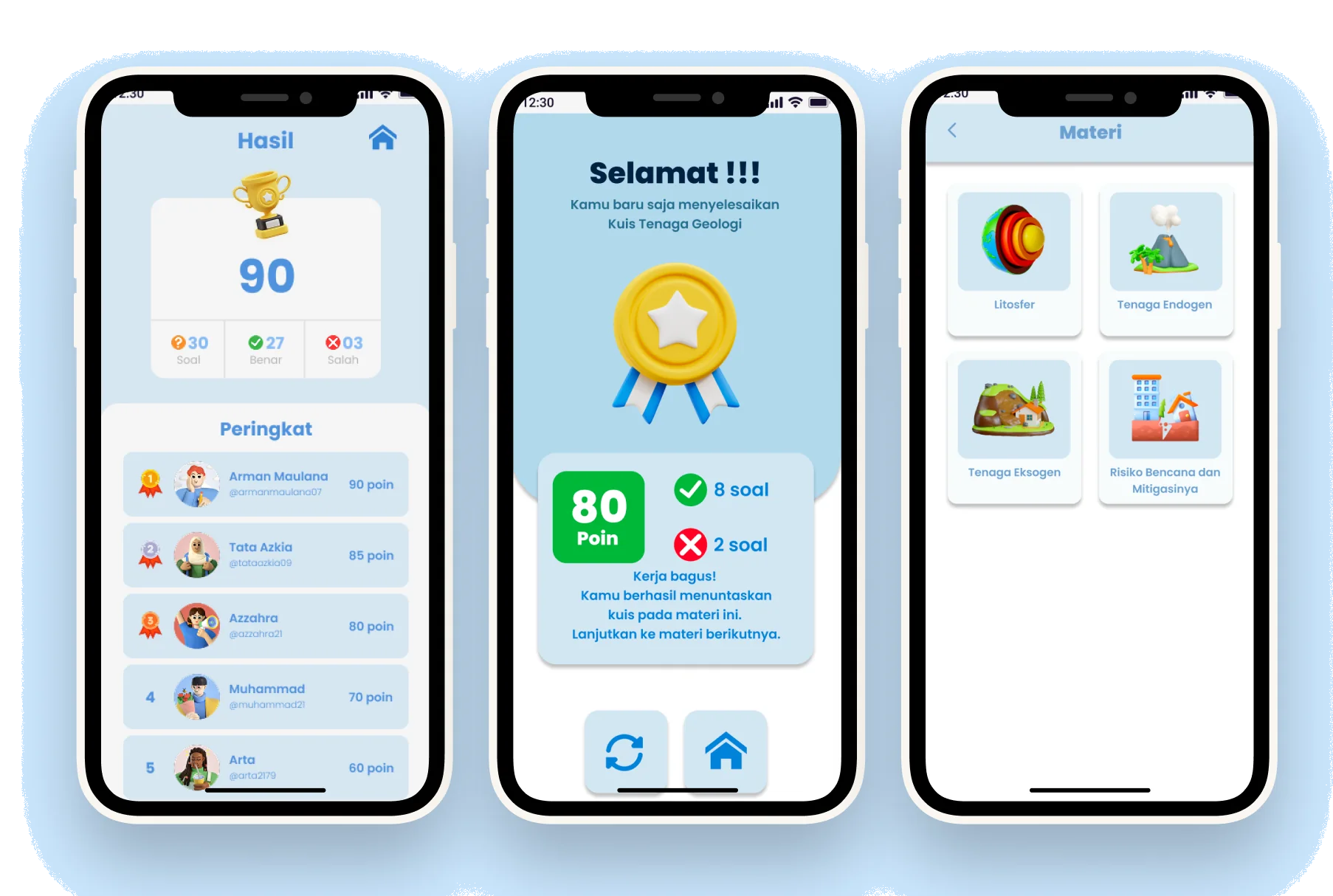
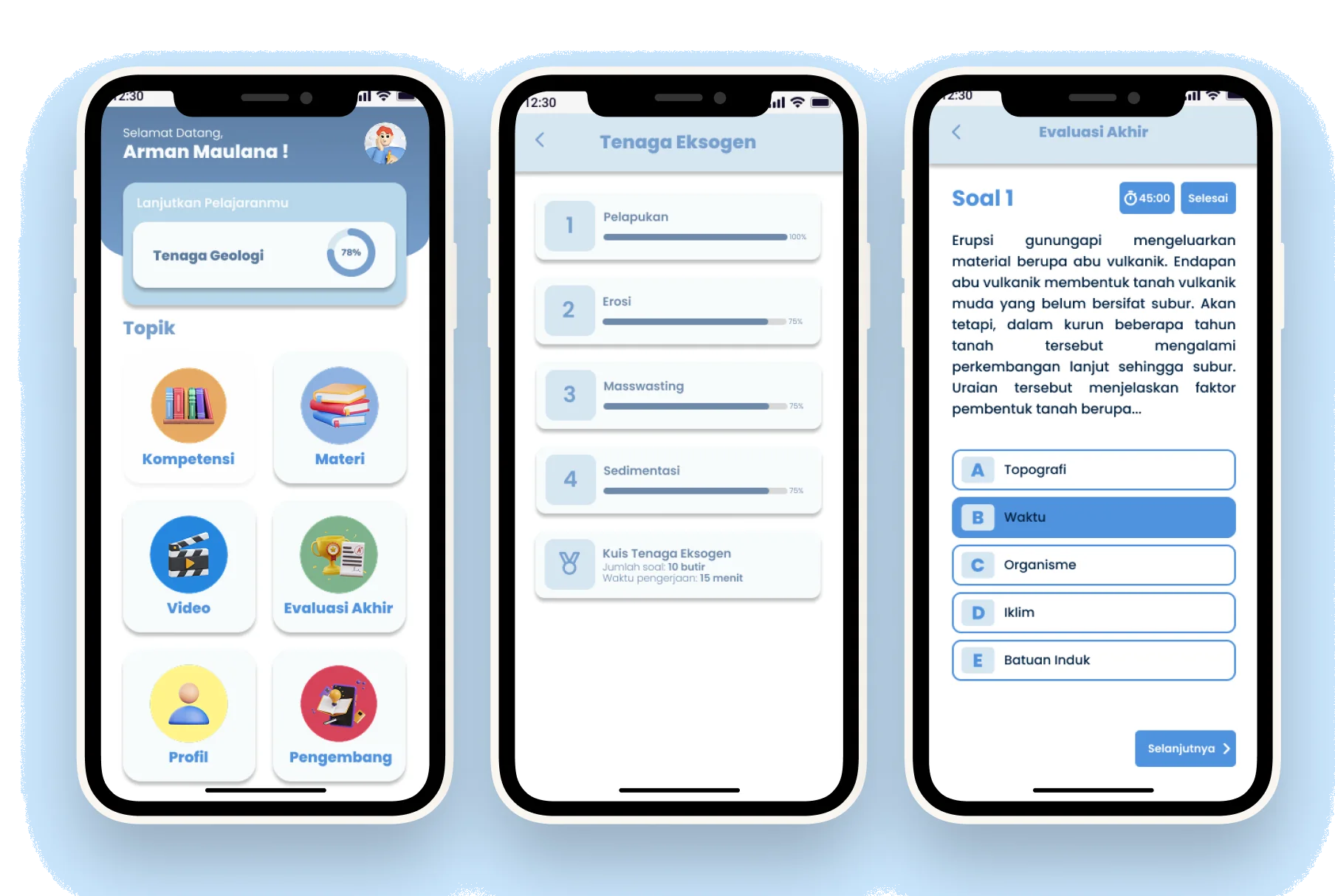
Screens
Terralith: Screens
Screens
Terralith: Screens
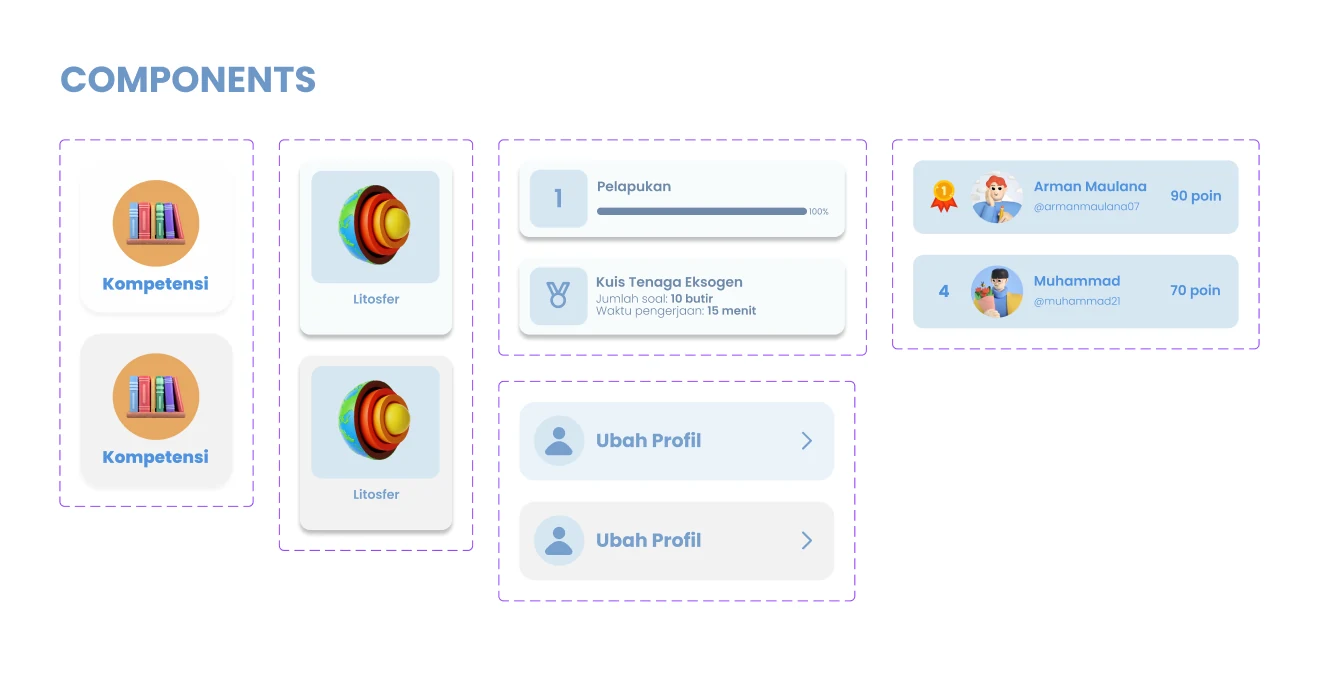
Design System
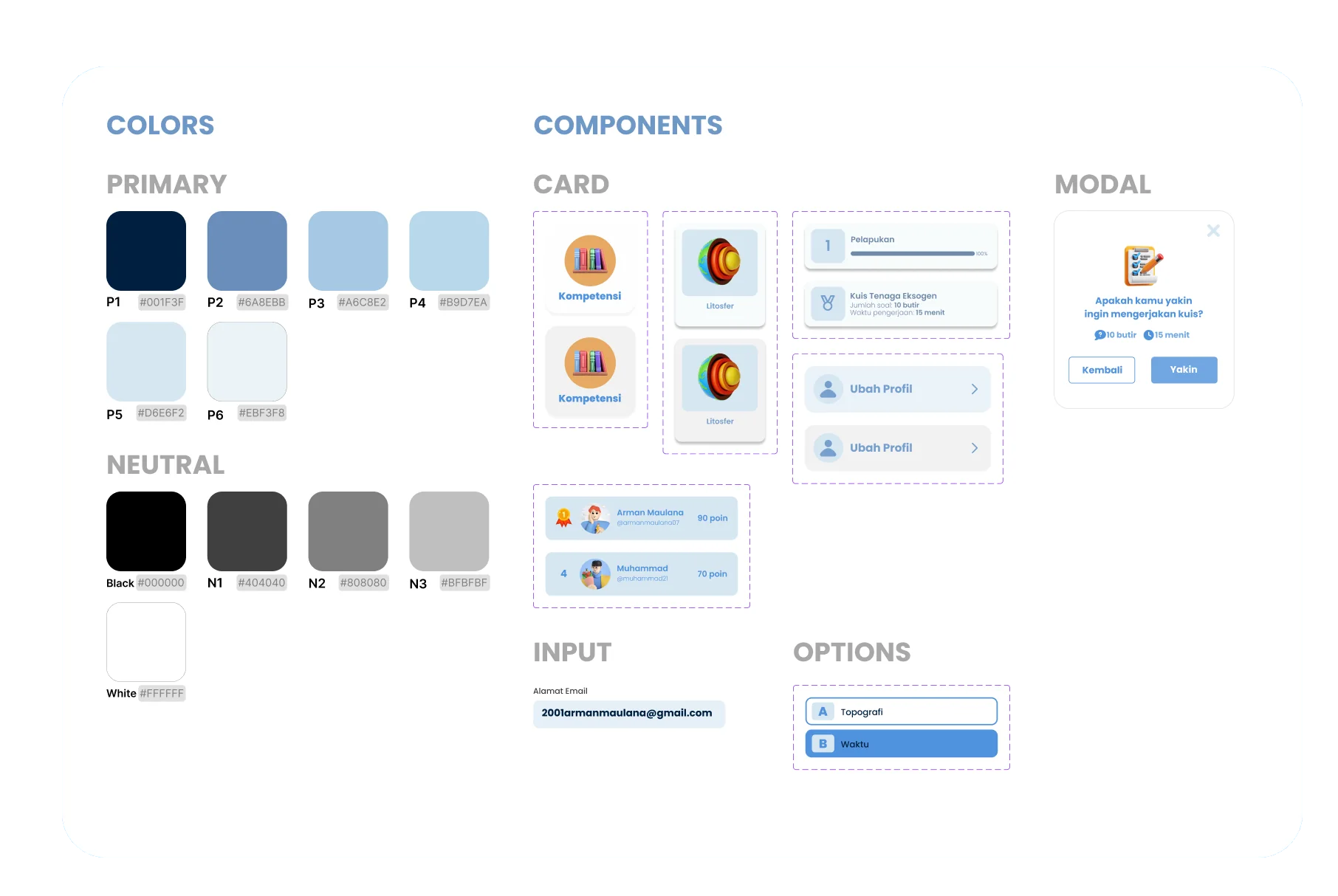
Terralith: Design System
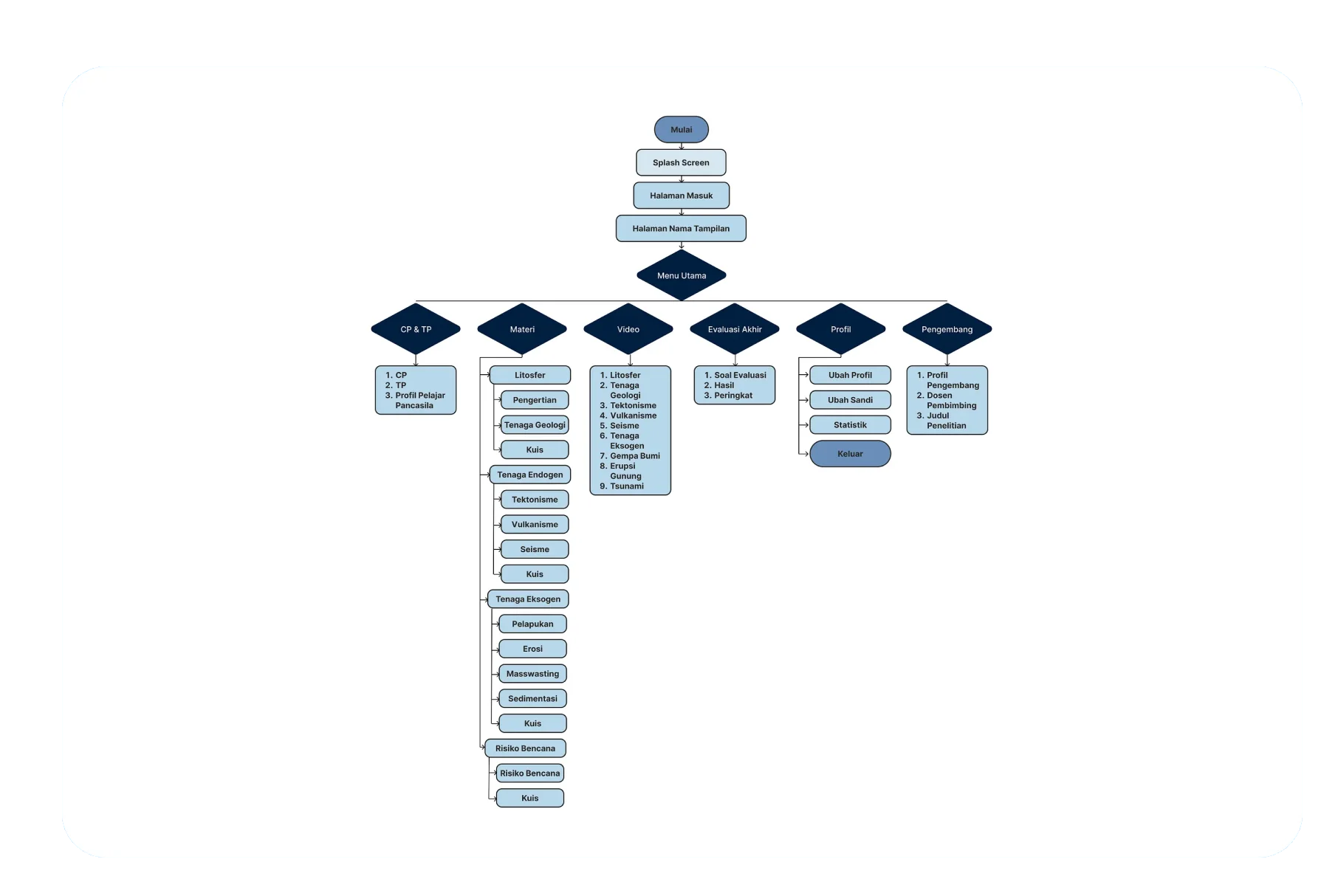
User Flow
Terralith: User Flow

Design System

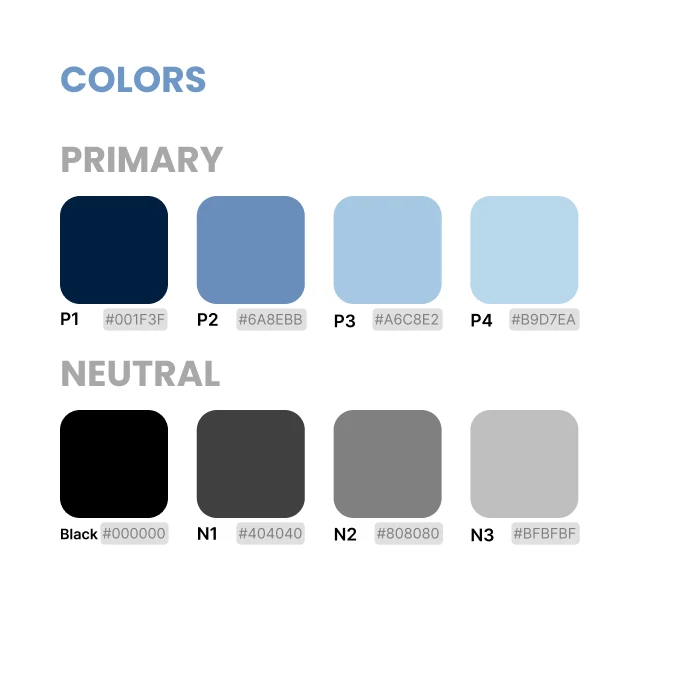
Terralith design system: Colors Terralith design system: Components
View Full Design System

About the Project

Background

Terralith was developed in response to learning challenges identified through discussions with teachers at school. It was designed as a self-learning resource for Grade 10 Geography, focusing on lithosphere dynamics and their impact on life.

Problem

Students needed an accessible and engaging supplementary resource to understand lithosphere processes and their impacts, including geological hazards and disaster risk. The project sought to support independent learning beyond classroom instruction.

Approach

Conducted a needs analysis that included interviews with teachers and consideration of student learning needs. Designed the application from user flows and wireframes through the complete interface. The learning experience includes structured material, nine learning videos, quizzes at the end of each subtopic, a final evaluation, ranking, and profile features. Learning materials, quiz questions, the design system, and visual assets were developed by the designer. Implementation was completed with some assistance from a developer.

Outcome

The application was tested with 72 Grade 10 students at SMAN 1 Sanden. Average disaster risk awareness scores increased from pretest to posttest in both participating classes: Class XB from 56.81 to 61.58, and Class XC from 57.75 to 64.81. Paired-sample analysis indicated a statistically significant pretest–posttest difference (p < 0.001). These findings describe the educational intervention as a whole and should not be attributed to interface design alone. The product was built on a defined user flow and a design system created from scratch.

Process

01

Problem Discovery

Identify the learning problem through school context and teacher discussions.

02

Needs Analysis

Conduct needs analysis, including teacher interviews and consideration of student needs.

03

Structure & Wireframes

Develop the product structure, user flow, and wireframes.

04

Interface & Visual Design

Design the interface, design system, and visual learning assets.

05

Learning Content

Develop learning materials and quiz questions.

06

Implementation & Evaluation

Support implementation with a developer and evaluate the application in the school research setting.

OPEN TO UI/UX DESIGN OPPORTUNITIES

Let’s Create Meaningful Digital Experiences.

I’m open to new opportunities and excited to contribute to thoughtful, user-centered digital products.